CodeAlpha_JenkinsRemotingProject
CodeAlpha DevOps Internship — Task 2: Jenkins Remoting Project
Sets up a Jenkins controller and a separate remote agent node, connected via Jenkins Remoting over SSH, and runs a pipeline job that executes on the remote node — proving distributed builds, node isolation, and secure remote execution.
Project structure
CodeAlpha_JenkinsRemotingProject/
├── docker-compose.yml         # controller + agent containers
├── Jenkinsfile                 # pipeline that targets the remote node
├── Jenkinsfile.multi-node      # bonus: 2 nodes, different labels
└── README.md
Prerequisites
- Docker + Docker Compose installed
- An SSH keypair (you’ll generate one below)
Step 1 — Generate an SSH keypair for the agent
ssh-keygen -t rsa -b 4096 -f jenkins_agent_key -N ""
This creates jenkins_agent_key (private) and jenkins_agent_key.pub (public).
Open docker-compose.yml and replace REPLACE_WITH_YOUR_PUBLIC_KEY with the contents
of jenkins_agent_key.pub.
Step 2 — Start the controller and agent containers
docker compose up -d
docker compose ps
Get the initial admin password for Jenkins:
docker exec jenkins-controller cat /var/jenkins_home/secrets/initialAdminPassword
Open http://localhost:8080, paste the password, install the suggested plugins,
and create your admin user.
Step 3 — Add SSH credentials in Jenkins
- Manage Jenkins → Credentials → System → Global credentials → Add Credentials
- Kind: SSH Username with private key
- Username:
jenkins - Private key: paste the contents of
jenkins_agent_key(the private key file) - ID:
remote-agent-ssh-key
Step 4 — Register the remote node
Manage Jenkins → Nodes → New Node
| Field | Value |
|---|---|
| Node name | remote-node-1 |
| Type | Permanent Agent |
| Remote root directory | /home/jenkins/agent |
| Labels | linux-remote |
| Launch method | Launch agents via SSH |
| Host | jenkins-agent (container name — resolvable on the shared Docker network) |
| Credentials | select remote-agent-ssh-key from Step 3 |
| Host Key Verification Strategy | Non verifying (fine for this local lab setup) |
Save. Jenkins will SSH into jenkins-agent and launch the remoting connection.
Check Manage Jenkins → Nodes — remote-node-1 should show as online (green).
Step 5 — Enforce node isolation (security hardening)
By default Jenkins can run jobs directly on the controller, which is a security risk. To force ALL jobs onto agent nodes:
- Manage Jenkins → Nodes → built-in node (master)
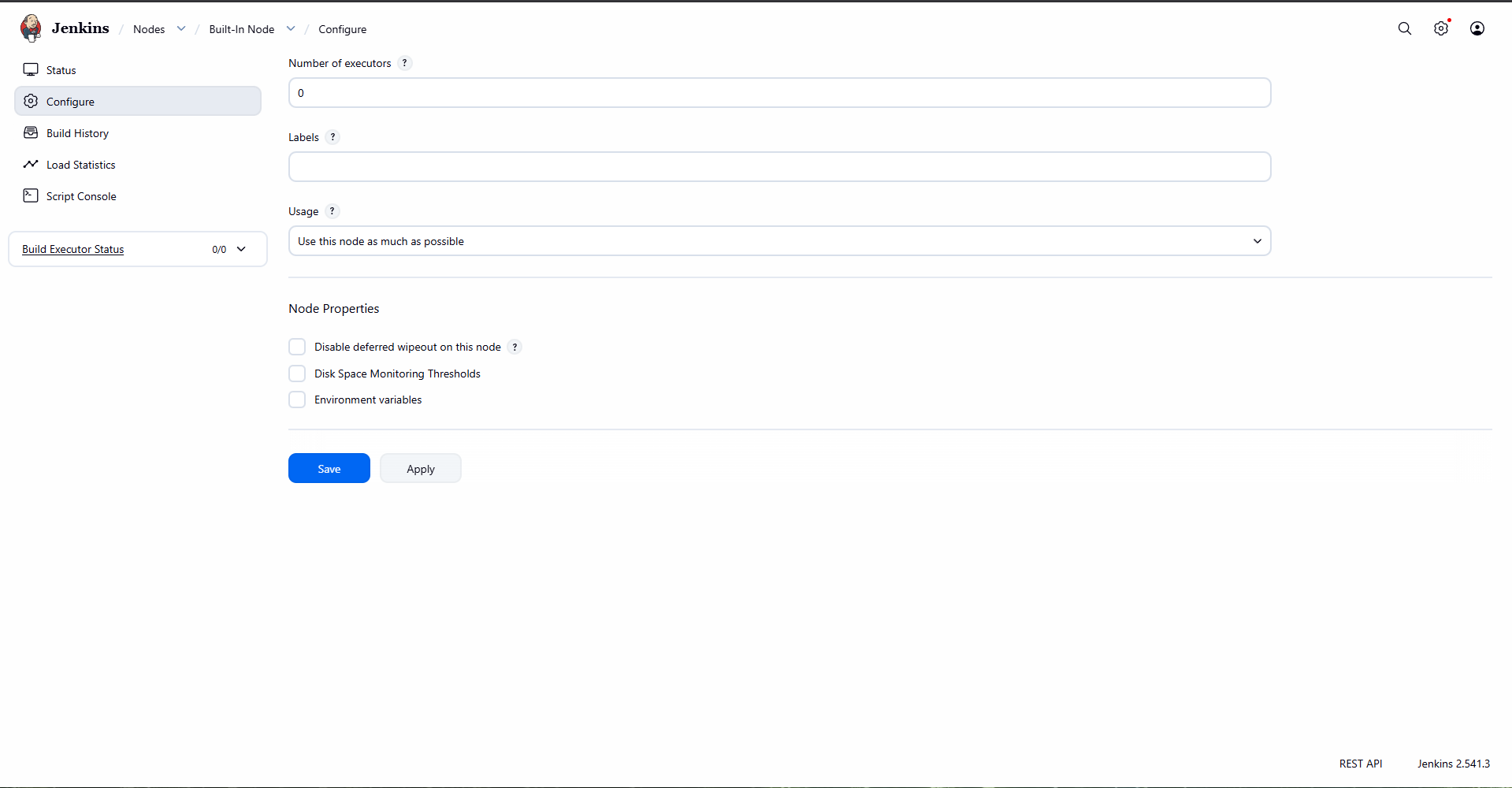
- Configure → set Number of executors to
0
Now the controller only orchestrates; it can never execute untrusted build steps directly — a core DevOps/security best practice for Jenkins.
Step 6 — Create the pipeline job
- New Item → Pipeline, name it
remote-node-demo - Under Pipeline, choose Pipeline script from SCM if using GitHub (point it at
this repo and
Jenkinsfile), or paste the contents ofJenkinsfiledirectly under Pipeline script for a quick local test. - Build Now
Step 7 — Confirm it ran on the remote node
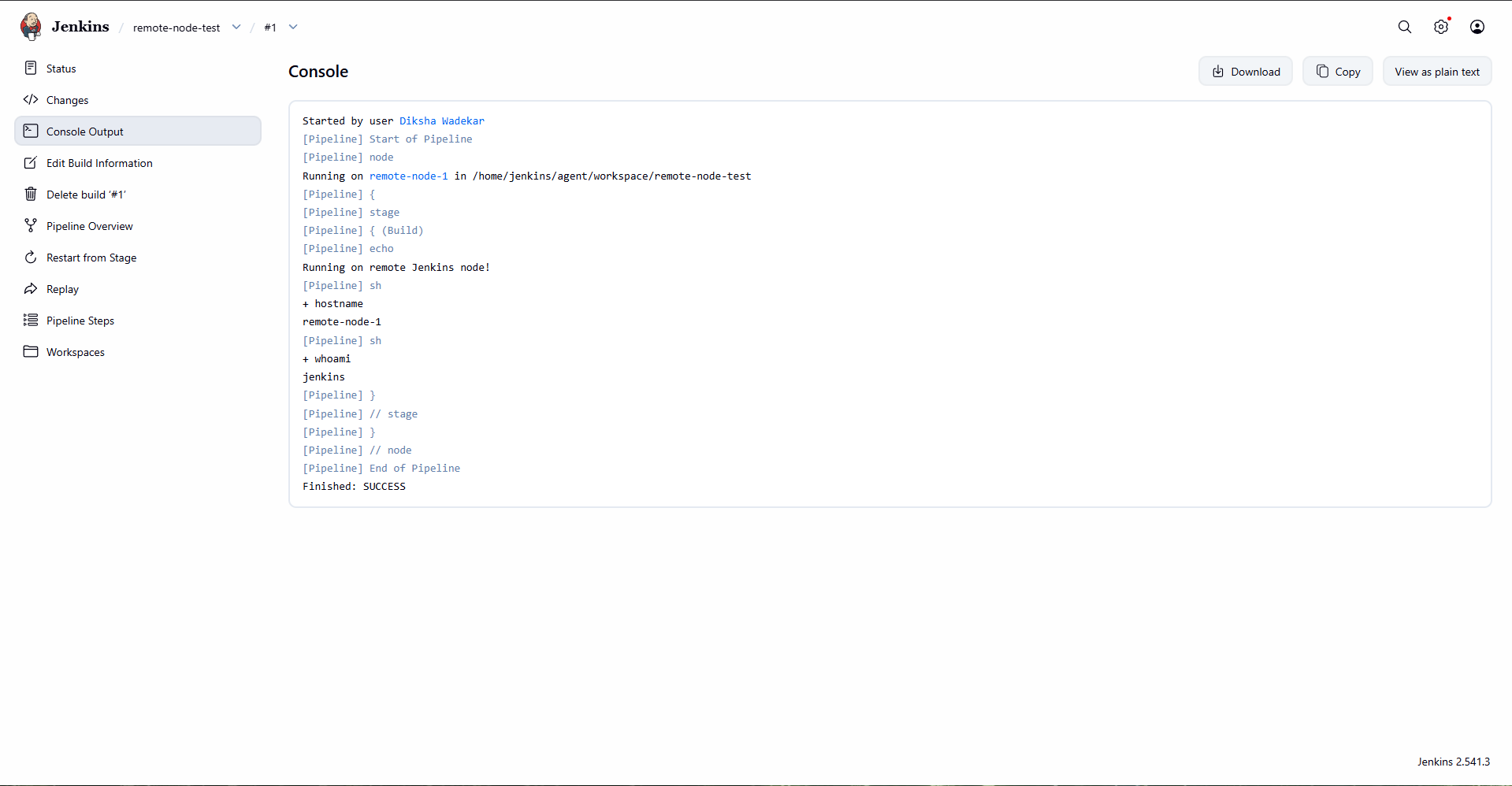
Open the build’s Console Output. You should see:
hostname→remote-node-1(not the controller’s hostname)whoami→jenkins- The archived artifact
build_output/result.txt
This is your proof the job executed remotely, not on the controller.
Bonus: second agent (for Jenkinsfile.multi-node)
To demonstrate distributing different stages to different machines:
- Repeat Step 4 to register a second agent (you can reuse the same
jenkins-agentcontainer with a different label for a quick demo, or spin up a second container fromdocker-compose.ymlcopy-pasted with a new service name). - Label it
java-build. - Run the
Jenkinsfile.multi-nodepipeline and observe each stage’s console output showing a differentNODE_NAME.
Troubleshooting
| Symptom | Fix |
|---|---|
| Agent shows offline | Check docker logs jenkins-agent; confirm the public key in docker-compose.yml matches your keypair |
| SSH connection refused | Confirm both containers are on the jenkins-net network: docker network inspect jenkins_jenkins-net |
| Job runs on controller instead of agent | Confirm agent { label 'linux-remote' } matches the exact label set on the node, and controller executors = 0 |
| “Host key verification failed” | Set Host Key Verification Strategy to “Non verifying” for this lab setup |
What this demonstrates (DevOps concepts)
- Jenkins controller/agent (remoting) architecture
- Secure remote execution over SSH
- Distributing build load across machines via node labels
- Node isolation as a security hardening practice
- Multi-stage pipelines spanning multiple remote nodes
## Setup & Verification
Bring up the stack
```bash
docker-compose up -d
```
This starts two containers: jenkins-controller and jenkins-agent, connected over the jenkins-net bridge network.
1. Remote agent connects successfully
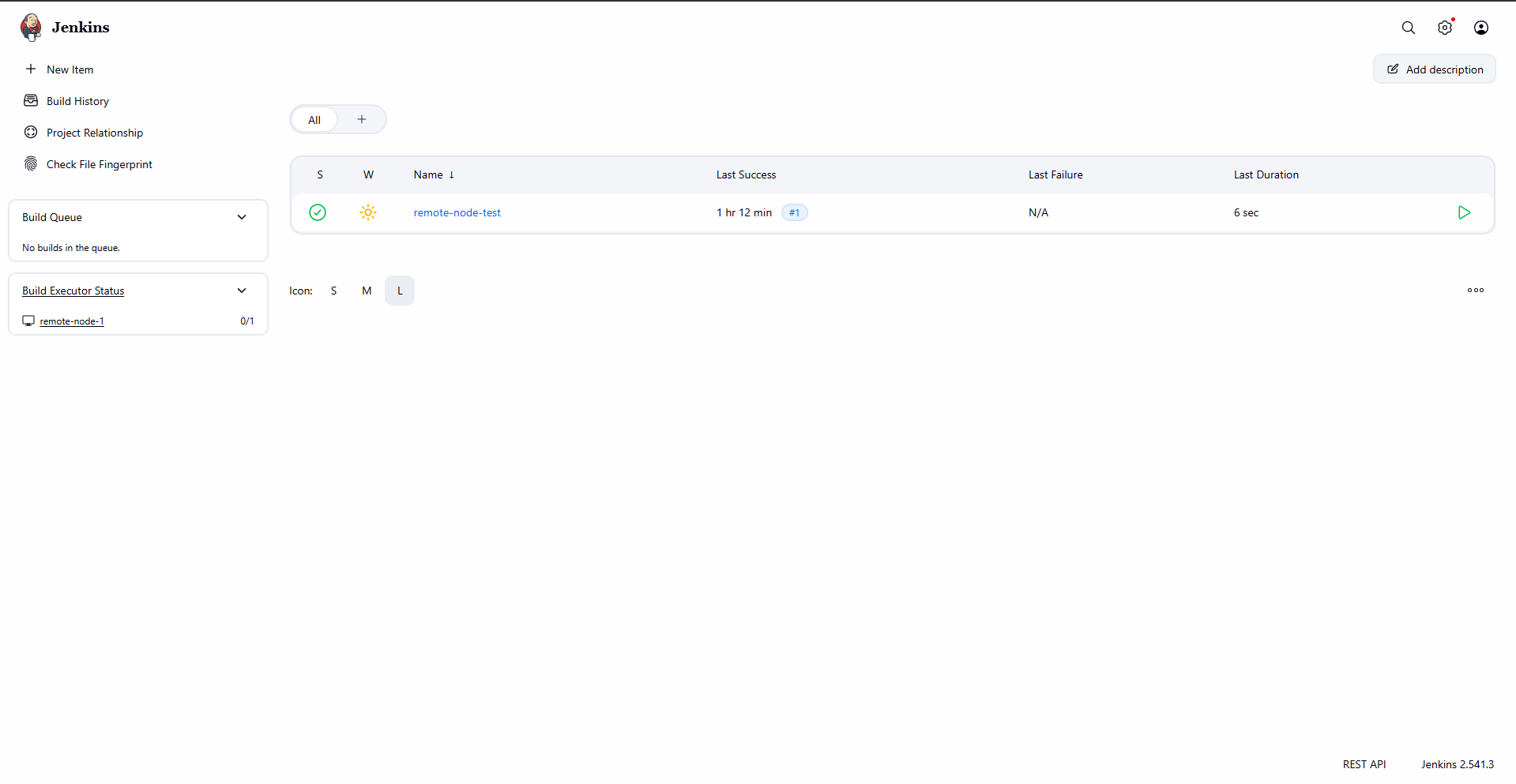
The agent node remote-node-1 registers with the controller and shows as online, in sync, with a healthy response time.
2. Pipeline executes on the remote node
Running the remote-node-test pipeline confirms the build is dispatched to remote-node-1 — not the controller. The hostname and whoami steps in the console output verify this directly.
3. Node isolation on the controller
The Built-In Node (controller) is configured with 0 executors, so it is physically incapable of running any build itself. Every job is forced onto the labeled remote agent — a real-world security/scalability best practice.
Result
All builds are distributed to the remote SSH agent, with the controller dedicated purely to orchestration.